
Disclosure: this post contains an affiliate link. If you buy through it, I may earn a commission at no extra cost to you.
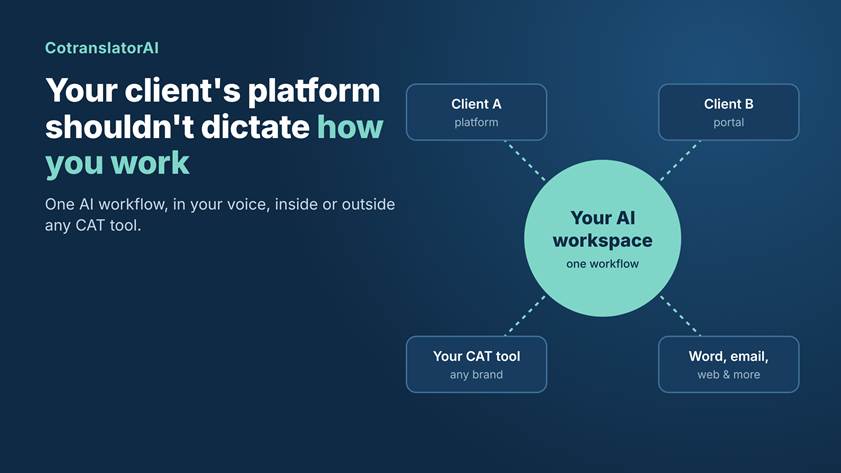
Monday, it’s Client A’s platform. Wednesday, Client B’s portal. Friday, your own CAT tool.
If that sounds like your week, you know the problem with AI in translation right now. Every environment has its own rules. In one, AI is blocked. In another, it’s bolted on awkwardly. In the third, it lives in a browser tab you keep copying and pasting into. Your prompts get rebuilt from scratch, your terminology decisions get lost, and the “AI workflow” ends up being five different workflows.
So here is the question worth asking: what if the way you work with AI didn’t change with the client?
That’s the idea behind CotranslatorAI, a dedicated AI workspace for translators that runs on Windows and works alongside any tool, inside or outside a CAT tool.
Your voice stays in the driver’s seat
The worry many of us have about AI is simple: it flattens our work into generic machine output. CotranslatorAI is built around the opposite approach, a method called the Creative-Control Translation Flow:
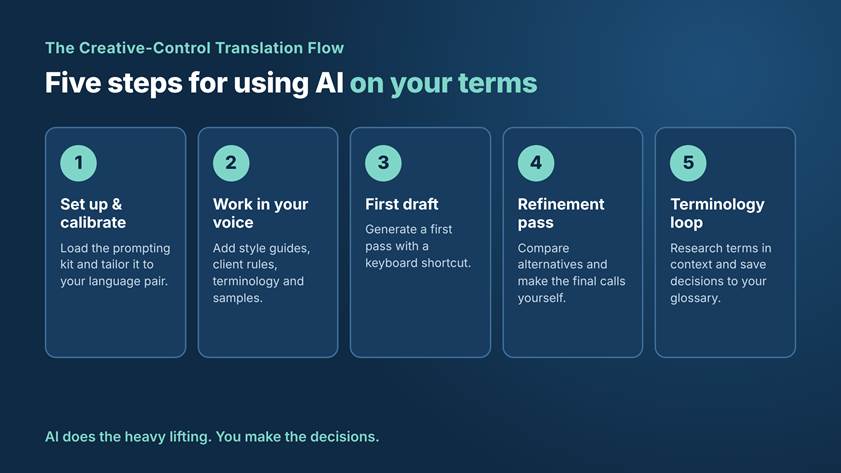
- Set up and calibrate. Load a prompting kit and tailor it to your language pair and projects.
- Make AI work in your voice. Feed it your style guides, client rules, terminology and sample translations.
- Deploy the first draft. Generate a first pass with a keyboard shortcut.
- Refine. Compare alternatives and make the final calls yourself.
- Close the terminology loop. Research terms in context and save your decisions to your glossary.
AI does the heavy lifting. You make the decisions.
What it gives you back
- Momentum. Build a personal prompt library, save workflows, and run up to 20 AI sessions at once.
- Peace of mind. Client text stays on your PC and goes straight to OpenAI with your own API key, protected by enterprise-grade encryption.
- Budget control. You pay OpenAI directly for what you use, with no middleman markup.
- Support. A setup tutorial, documentation and videos, a private LinkedIn group, email support and a daily “AI Mastery Minute” tip inside the app.
Translators who use it say it plainly. Kaloyan Kirilov, an English and Bulgarian translator, calls it “the best solution leveraging AI that I have seen. It puts me in the driver’s seat.”
The $37 starter bundle
Right now you can try it through a bundle that costs $37 for three months of CotranslatorAI Advanced, and it comes with the six-part Translator-in-Command AI Survival Kit:
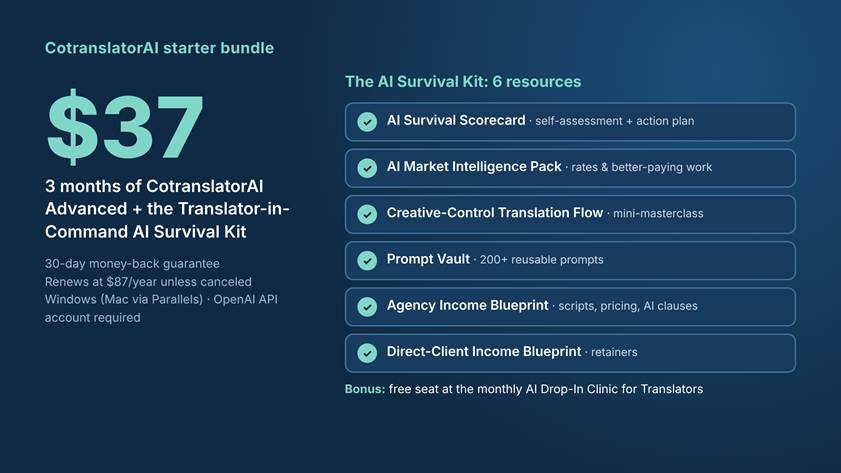
- AI Survival Scorecard: a self-assessment with a diagnostic video and action plan.
- AI Market Intelligence Pack: prompts and briefs for rate negotiations and finding better-paying work.
- Creative-Control Translation Flow: a mini-masterclass, prompts and a worksheet.
- Prompt Vault: more than 200 reusable prompts for translation, revision, terminology and QA.
- Agency Income Blueprint: negotiation scripts, pricing models and AI contract clauses for agency work.
- Direct-Client Income Blueprint: how to work directly with clients and offer monthly retainers.
The offer also includes free admission to the monthly AI Drop-In Clinic for Translators (seats are limited).
A few practical details: you need a Windows PC (Mac users can run it with Parallels or similar) and an OpenAI API account, which is billed separately. One license covers two computers. After three months the subscription renews at $87 per year unless you cancel, and there’s a 30-day money-back guarantee.
Try it on your own terms
If you’re tired of your AI workflow changing every time the client does, this is an inexpensive way to find out whether one consistent, voice-first workflow fits the way you work.
Get three months of CotranslatorAI Advanced plus the AI Survival Kit for $37 »